Everything on the board, at the student's desk.
TahtX watches the classroom board with a small camera and streams it live to a low-vision student's tablet. The student zooms in as far as they need, sharpens the writing, and picks colors that suit their eyes.
The board is the farthest place in the classroom
For a low-vision student, even the front row may not be enough. The marker is faint, light glares off the board, the writing is small. While the teacher writes, the student ends up copying from a classmate's notebook.
TahtX brings the board to the student. The lesson runs as usual, and the teacher doesn't need to do anything extra.
How it works
-
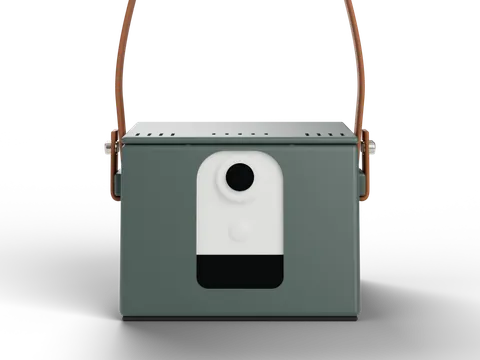
Put the device on the desk
The TahtX box sits on the student's desk with its front camera facing the board. It runs on battery, so there's no need to plug it in during class.
-
Connect the tablet
Open the TahtX app on an Android tablet or iPad and connect to the camera. The video only travels between the camera and the tablet.
-
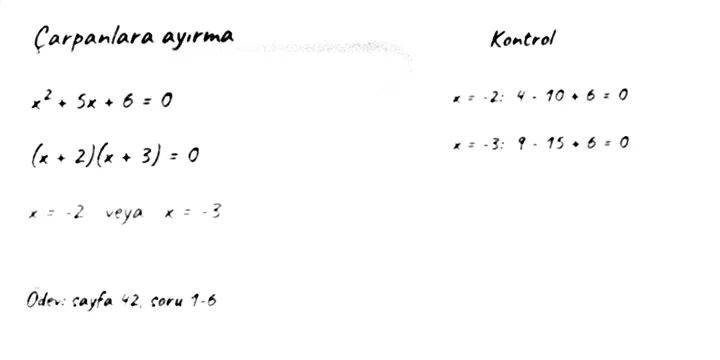
Select the board and read
Mark the four corners of the board once. From then on the screen shows only the board: zoom in, turn on reading mode, choose your colors.
The app that makes the board readable
The TahtX app reprocesses every frame from the camera on the tablet. You decide what you see.
Reading mode
It measures the brightness of the board at every point and separates the writing from it. Glare and shadows disappear, and even a faint marker stands out. There's a separate setting for chalk on dark and green boards.
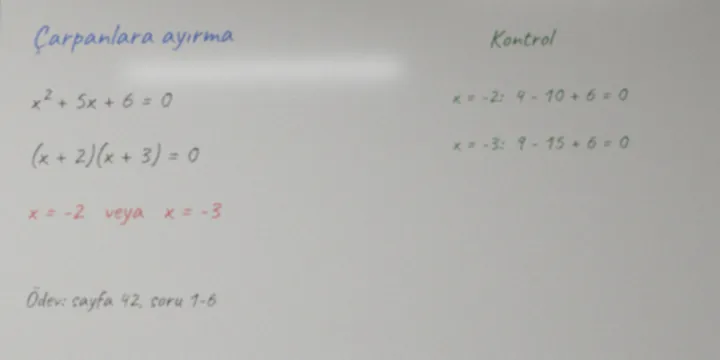
Just the board
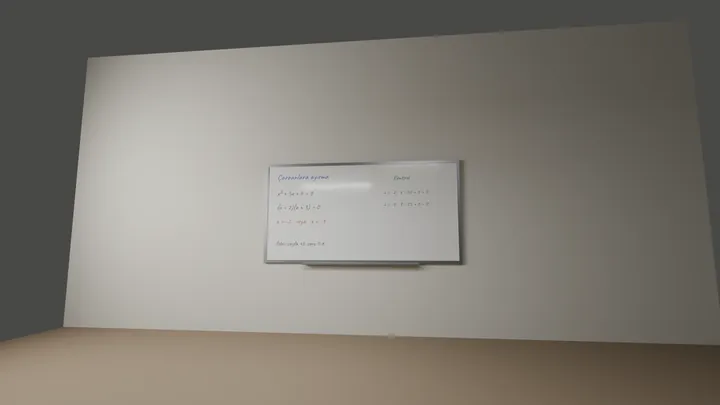
The camera sees the whole classroom. Mark the corners once and TahtX takes only the board and fills the screen with it. Every frame is redrawn from the camera's full resolution, so writing stays crisp as you zoom.
Colors that suit your eyes
The app has 13 color themes. A theme turns writing and background into two clear colors, so blue and red marker don't fade away.
- Normal
- Grayscale
- Inverted gray
- Yellow on black
- Black on yellow
- Green on black
- Blue on white
- Warm light
- Warm dark
- Red
- High contrast
- Black text
- White text
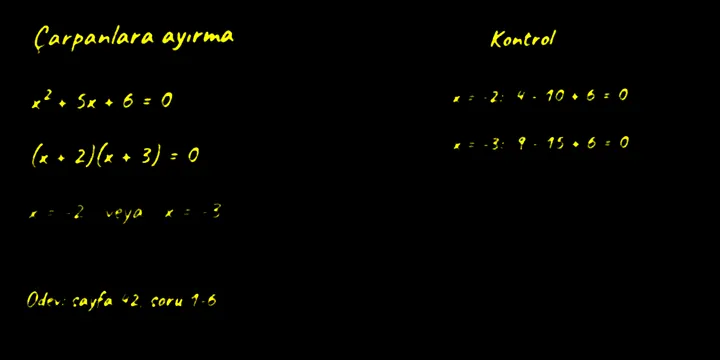
Zoom and pan
Pinch to zoom up to ten times. Double-tap to jump to three times or back.
Large interface
Menus and buttons come in four sizes. At the largest they are easy to read and tap.
The video stays in the classroom
TahtX doesn't record the video or send it to any server. The camera and tablet talk directly over the same wireless network.
For Android tablets and iPad.
A box that fits on a school desk
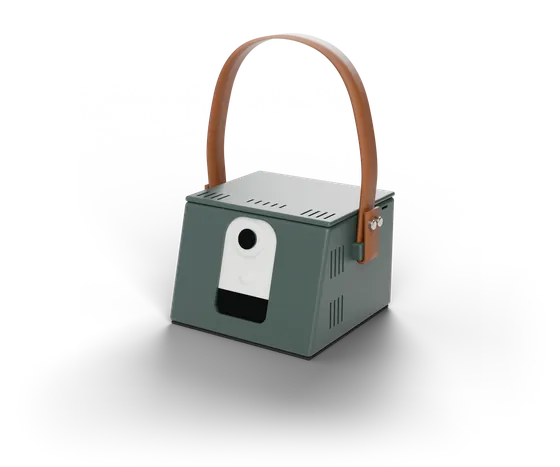
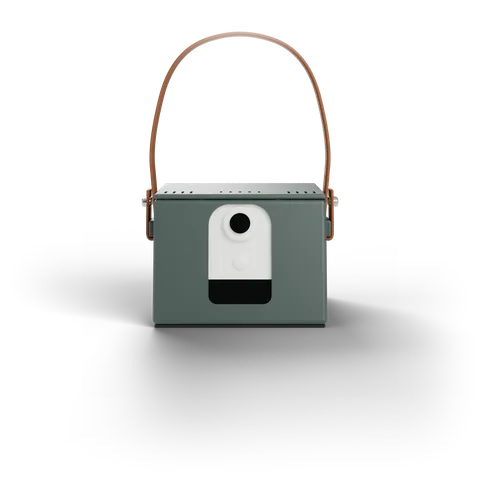
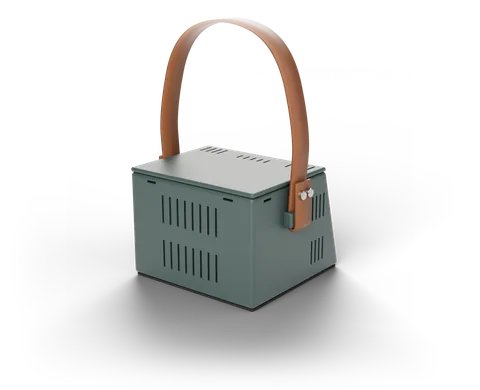
Camera, battery and wireless connection in one box. The student brings it to class, sets it on the desk, and the lesson begins.
- Size
- 16 × 15.6 × 12 cm
- Camera
- 4 MP, wide angle, tilted 15° upward
- Power
- Built-in battery
- Connection
- Built-in Wi-Fi repeater
- Carrying
- Leather strap, non-slip base
- Cooling
- Fanless, silent ventilation
The device is a prototype. If you'd like to try it at your school, write to us.
This site is built for low vision too
You can enlarge the text and switch the page's colors to schemes similar to the app's themes. The whole page works with a keyboard and a screen reader. We use Atkinson Hyperlegible, a typeface designed for low-vision readers so that letters don't get confused.
- Five text sizes, up to 200%
- Light and dark schemes that follow your system, plus four high-contrast color pairs
- Wide line and letter spacing
- Reduced motion
- Choices are saved in this browser
Who it's for
Students
Read the board on their own screen instead of a classmate's notebook.
Teachers
Teach as usual. No extra materials, no setup.
Schools and special education services
Give students in inclusive classrooms independent access in class.
Families
Talk with their child about what they learned, not what they missed.
Frequently asked questions
Which tablets does it work on?
Android tablets and iPad. The app is designed for landscape screens.
Does it need the internet?
No. It works as long as the camera and tablet are on the same wireless network, and the video never leaves it.
Does the teacher need to do anything?
No. The device sits on the student's desk and the teacher uses the board as usual.
Does it work on a chalkboard?
Yes. Reading mode's dark board setting separates chalk on green or black boards from the background in the same way.
Is the video recorded?
No. TahtX only shows the live video on the tablet; it doesn't record or send it to any server.
How can I get TahtX?
The device is a prototype for now. Write to us to try it at your school or to hear about our progress.
Let's try it at your school
Write to us to try TahtX in a classroom, ask about the device, or share your thoughts.